 Lookpix
Text in photos · Free
Search the words inside your pictures.
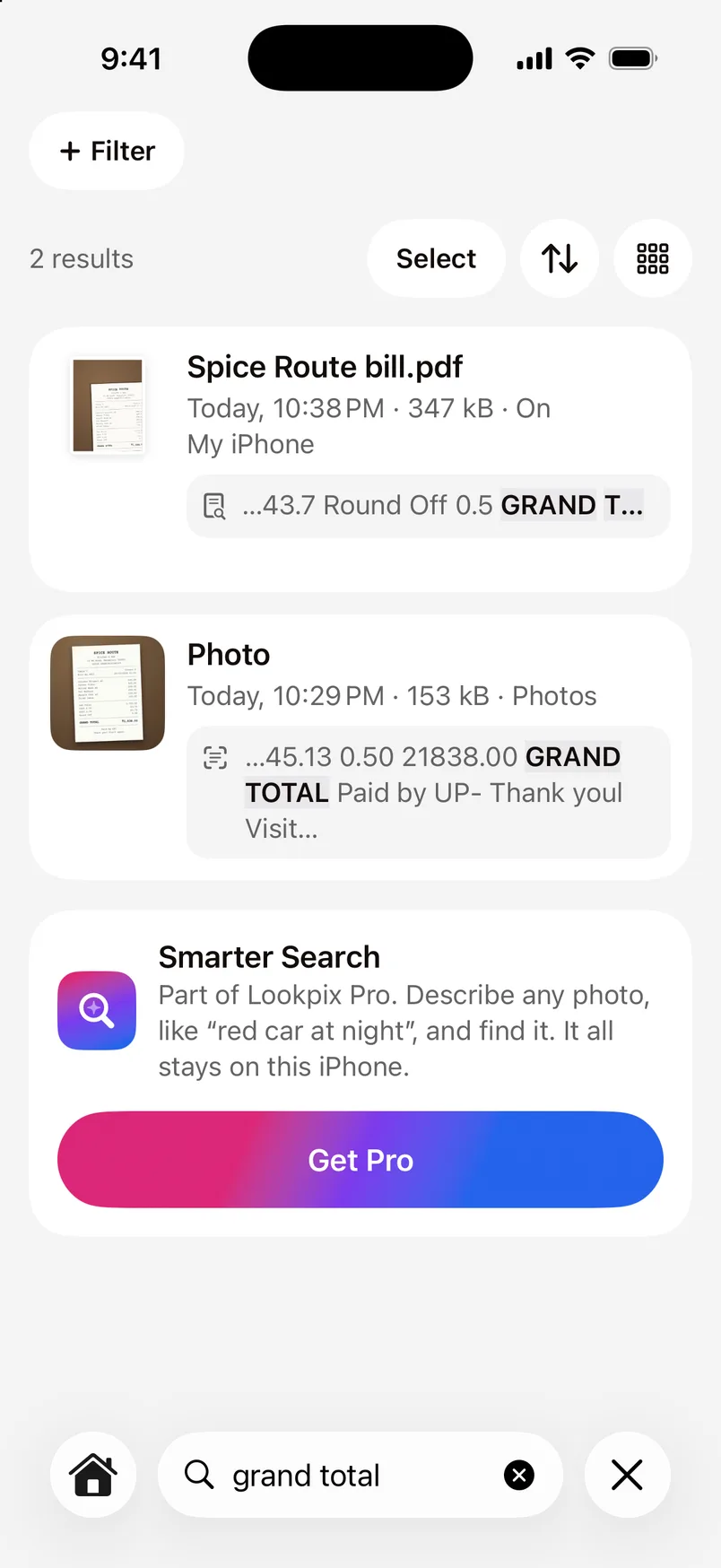
Lookpix reads every screenshot, bill, ticket and note right on your iPhone, with Apple's Vision framework. Search for any word you remember, then copy it.
- Photos, screenshots, PDFs and text files
- Copy all the text, or select just a line with Live Text
- Aadhaar, PAN, passport and licence, found and kept behind Face ID
How it works.
- 1
Lookpix reads your library
Every local picture and document, newest first, on your iPhone. It carries on in the background.
- 2
Search for a word
“grand total”, “wifi”, a name or a number. Matches show the line they were found in.
- 3
Copy what you need
Copy all the text Lookpix read, or use Live Text in the full view to select a line, call a number or translate.
Bills, tickets and IDs
Lookpix recognises important documents, such as Aadhaar, PAN, passports, driving licences, voter IDs, tickets and bills, and gathers them in Important Documents. ID documents open only with Face ID and are never added to iPhone Search.
Which languages it reads
Lookpix reads English text, with Apple's most accurate recognition. Other scripts, such as Hindi or Tamil, aren't read yet.
Questions about Text in photos.
No. Text is read and searched on your iPhone and never uploaded.
Yes. Searching and copying the text in photos and documents is free.
Go deeper.
More features.
- FreePlain-English searchType what you remember about a photo or file, and Lookpix turns it into filters you can see and change: what's in it, when it was taken, how big it is and where it lives.Learn more
- FreeSmart LibraryFood, Pets, Travel, Receipts, Selfies and more, built on their own and kept up to date as you take new photos. No albums to make, no tags to add.Learn more
- ProSmarter SearchAn optional on-device model understands whole scenes. Ask for a red car at night or a cake with candles, and Lookpix finds the photos that show it, even when nothing was ever labelled.Learn more
Stop scrolling. Start finding.
Search, sort and clean up everything on your iPhone. Free to start, and nothing leaves your phone.
Free to download · iOS 26 · iPhone