 Lookpix
Plain-English search · Free
Search your iPhone the way you talk.
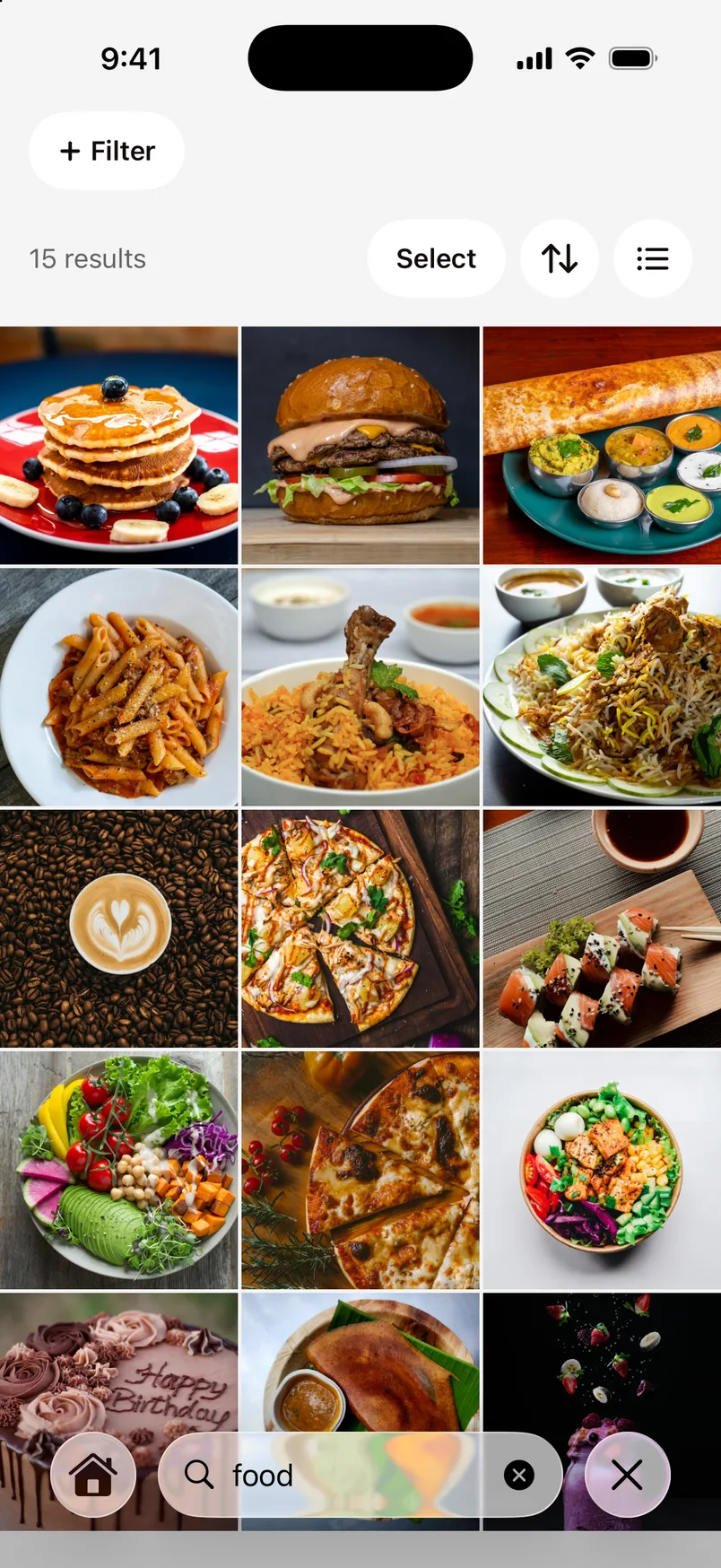
Type what you remember about a photo or file, and Lookpix turns it into filters you can see and change: what's in it, when it was taken, how big it is and where it lives.
- Things in pictures, the words written in them, names, kinds of file, dates and sizes
- Every search shows how it was read, as filters you can change
- Photos and the folders you choose in Files, in one search
How it works.
- 1
Allow Photos and Files
Lookpix reads your library and the folders you pick, on your iPhone.
- 2
Type what you remember
“gym selfies”, “beach last year” or “largest videos”. No syntax to learn.
- 3
Refine with filters
Tap a filter to change the kind, date, size or source, then sort the results.
What you can search for
Things in pictures (food, pets, beaches, cars), words written in photos and documents, file names, kinds of file such as PDFs or videos, dates like “last month” or “2024”, and sizes like “larger than 5 MB”.
One search for photos and files
The Photos and Files apps are searched separately. Lookpix searches your photo library and the folders you allow together, so a bill saved as a PDF and a photo of the same bill come up side by side.
Search while it's still reading
Search works from the first minute. Lookpix keeps reading the rest of your library in the background and shows its progress.
Questions about Plain-English search.
No. Search, the text in photos and every filter run on your iPhone, offline.
Yes. Your collections and files appear in iPhone Search, and Siri and Shortcuts can open a search in Lookpix.
Go deeper.
More features.
- FreeText in photosLookpix reads every screenshot, bill, ticket and note right on your iPhone, with Apple's Vision framework. Search for any word you remember, then copy it.Learn more
- FreeSmart LibraryFood, Pets, Travel, Receipts, Selfies and more, built on their own and kept up to date as you take new photos. No albums to make, no tags to add.Learn more
- ProSmarter SearchAn optional on-device model understands whole scenes. Ask for a red car at night or a cake with candles, and Lookpix finds the photos that show it, even when nothing was ever labelled.Learn more
Stop scrolling. Start finding.
Search, sort and clean up everything on your iPhone. Free to start, and nothing leaves your phone.
Free to download · iOS 26 · iPhone