 Lookpix
Compress Videos · Pro
Shrink big videos. Keep the memory.
Make smaller copies of your largest videos that look the same on a phone, then remove the originals when you're happy.
- Keeps the date, place and favorite
- See the space you'll save before you start
- Biggest videos first
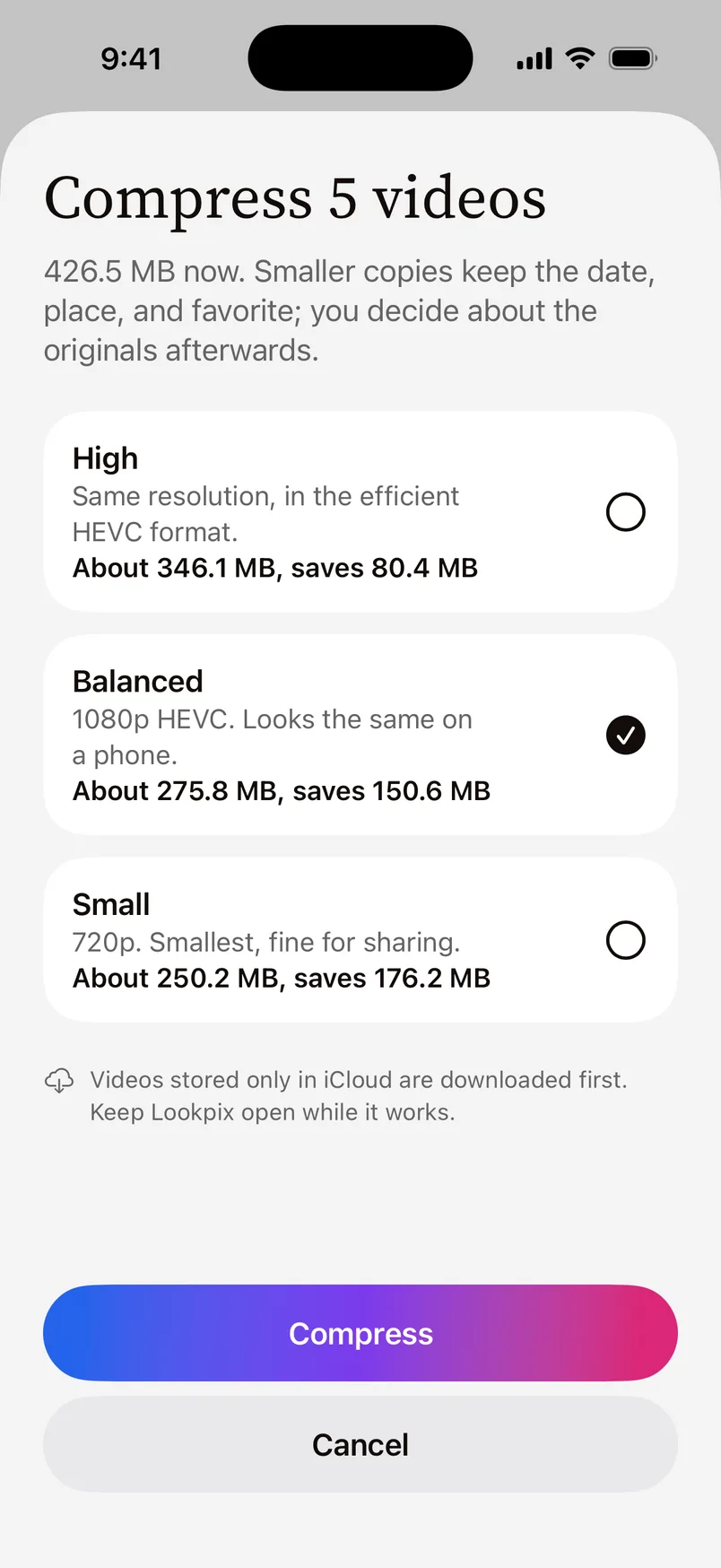
How it works.
- 1
Choose videos
Lookpix lists your videos biggest first, with the space each could save.
- 2
Pick a size
High keeps the resolution in the efficient HEVC format; Balanced is 1080p HEVC and looks the same on a phone; Small is 720p, fine for sharing.
- 3
Replace the originals
The smaller copy keeps the date, place and favorite. Remove the original when you're happy with it.
Why videos fill your iPhone
A minute of 4K video can take hundreds of megabytes. Most videos are watched on a phone, where 1080p looks the same, so a smaller copy can save most of that space.
Questions about Compress Videos.
No. Lookpix saves a smaller copy first; you decide whether to remove the original, which goes to Recently Deleted.
It's part of Lookpix Pro.
Go deeper.
More features.
- FreePlain-English searchType what you remember about a photo or file, and Lookpix turns it into filters you can see and change: what's in it, when it was taken, how big it is and where it lives.Learn more
- FreeText in photosLookpix reads every screenshot, bill, ticket and note right on your iPhone, with Apple's Vision framework. Search for any word you remember, then copy it.Learn more
- FreeSmart LibraryFood, Pets, Travel, Receipts, Selfies and more, built on their own and kept up to date as you take new photos. No albums to make, no tags to add.Learn more
Stop scrolling. Start finding.
Search, sort and clean up everything on your iPhone. Free to start, and nothing leaves your phone.
Free to download · iOS 26 · iPhone