 Lookpix
Duplicates · Free to review, Pro to delete in bulk
One copy is plenty.
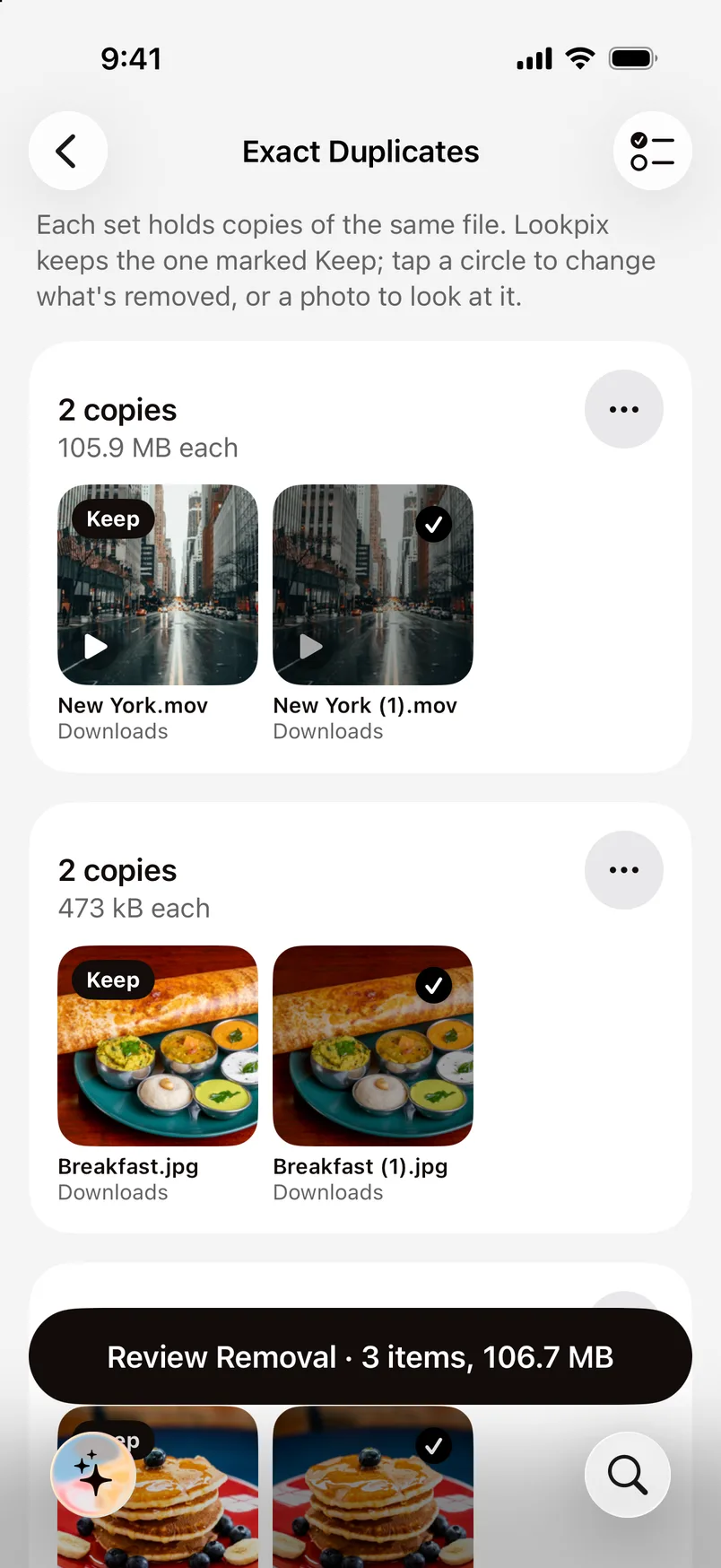
Lookpix finds exact copies by their contents and look-alike shots, like bursts and edits, then shows how much space you'll get back.
- Exact copies by SHA-256 fingerprint
- Look-alikes with Vision feature prints
- Lookpix picks one to keep; tap another to change it
How it works.
- 1
Lookpix fingerprints your library
Exact copies match byte for byte; look-alikes match by what they show.
- 2
Review each set
See the copies side by side, with the size of each and the one marked Keep.
- 3
Remove the rest
Removed photos go to Recently Deleted, where you can recover them for 30 days.
Exact copies and look-alikes
Exact duplicates are the same file saved twice, such as a photo downloaded again or saved from two chats. Look-alikes are near-identical shots: bursts, a photo and its edit, or several tries at the same moment.
Files too
Duplicates are found across your photo library and the folders you allow in Files, so the same PDF saved twice is caught as well.
Questions about Duplicates.
Finding and reviewing duplicates is free, and you can delete one at a time. Deleting many at once is part of Lookpix Pro.
Never. You choose what goes, iOS asks you to confirm, and deleted photos wait in Recently Deleted for 30 days.
Go deeper.
More features.
- FreePlain-English searchType what you remember about a photo or file, and Lookpix turns it into filters you can see and change: what's in it, when it was taken, how big it is and where it lives.Learn more
- FreeText in photosLookpix reads every screenshot, bill, ticket and note right on your iPhone, with Apple's Vision framework. Search for any word you remember, then copy it.Learn more
- FreeSmart LibraryFood, Pets, Travel, Receipts, Selfies and more, built on their own and kept up to date as you take new photos. No albums to make, no tags to add.Learn more
Stop scrolling. Start finding.
Search, sort and clean up everything on your iPhone. Free to start, and nothing leaves your phone.
Free to download · iOS 26 · iPhone